Make links stand out for easier scanning and navigation.
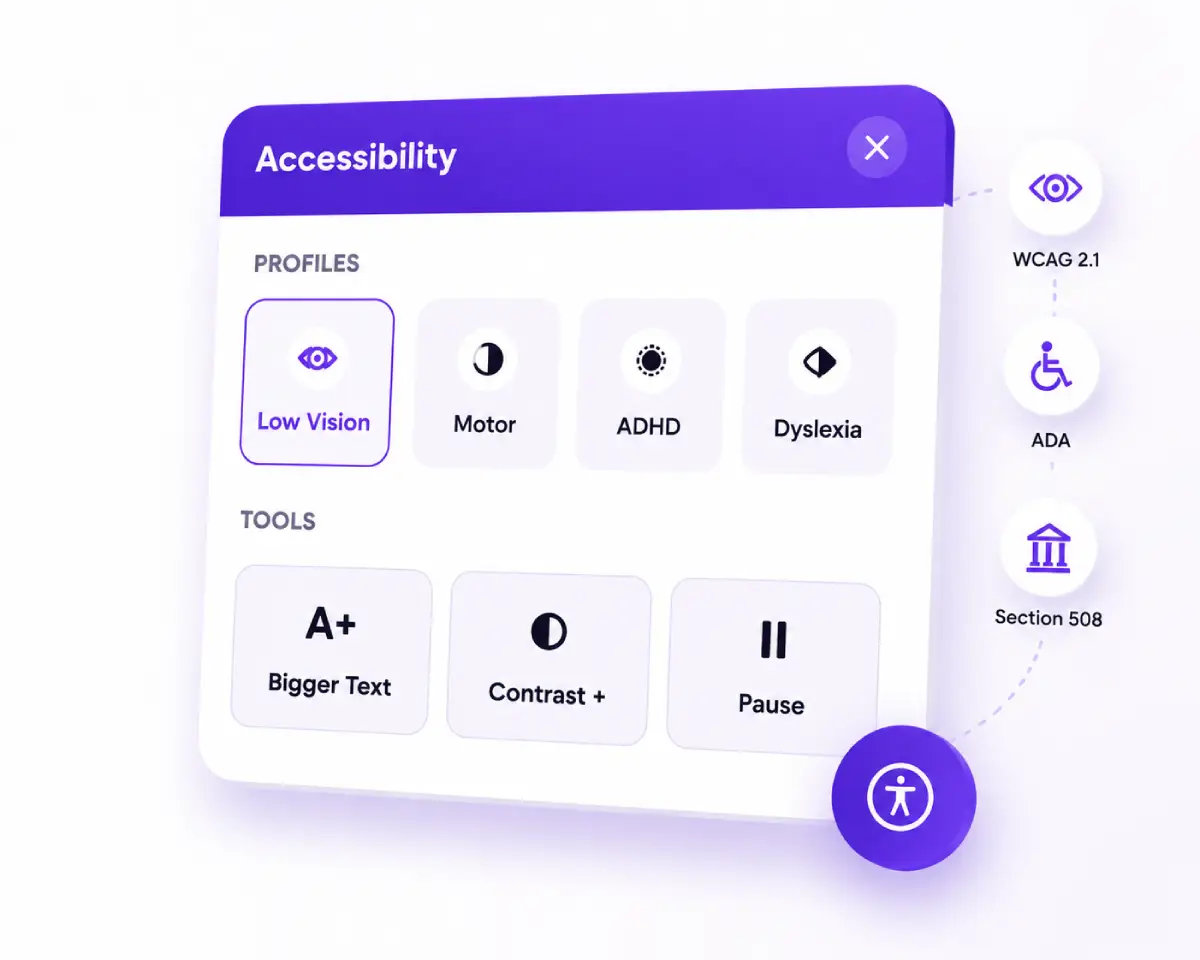
Help website owners, developers, and businesses improve WCAG 2.1, ADA, and Section 508 accessibility with a branded floating widget, 19 tools, 8 profiles, AI Accessibility Checker, conditional presets, and an Accessibility Statement generator.
One premium plugin for visitor personalization, on-page scanning, branding, and documentation — without rewriting your theme.
Floating launcher with all 19 tools and 8 profiles visitors can apply instantly — Contrast +, Screen Reader, Dyslexia Friendly, Keyboard Navigation, and more.
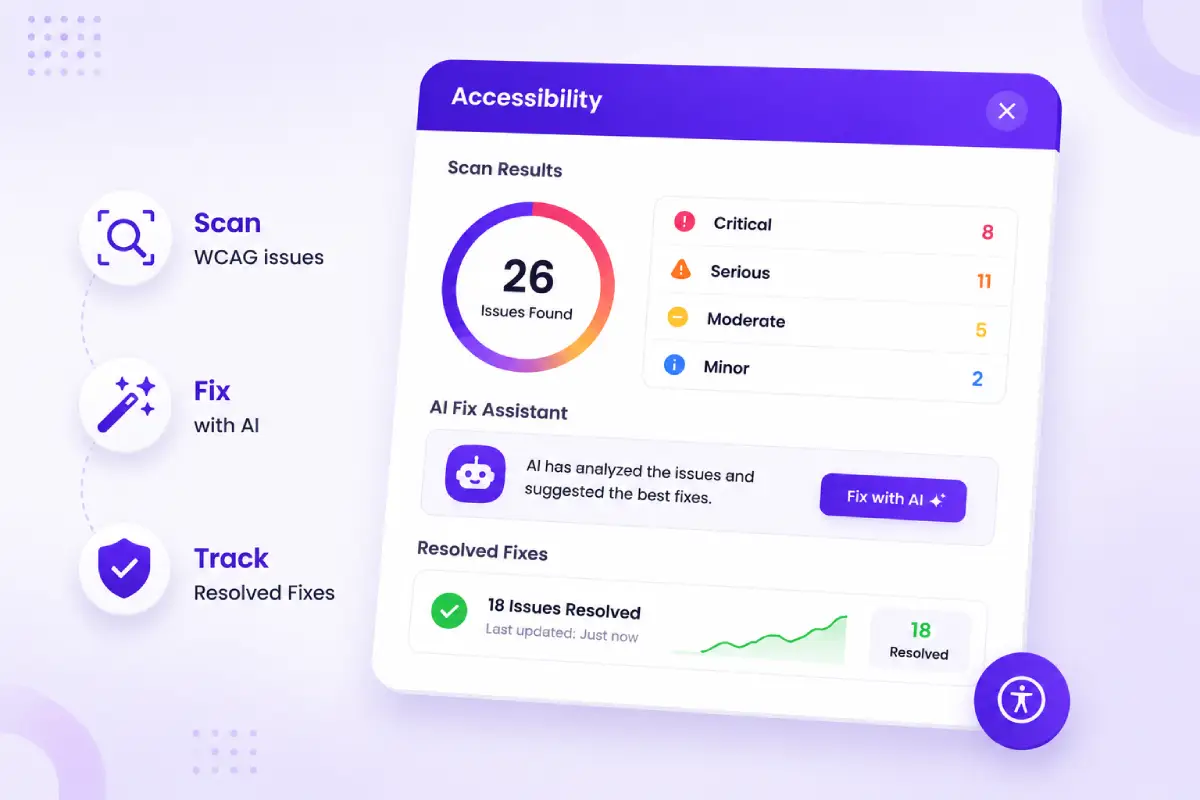
On-page scans, Fix with AI (OpenAI, Gemini, Claude), Resolved Fixes tracking, CSV reports, and 104-language Translate with consent.
Conditional presets (Entire Site, Singular, Archive), full branding, Custom Profiles, export/import backups, and multi-site licensing.
Every tool name matches the Prime Accessibility plugin. Many include multiple modes — more than 35 adjustable options in the panel.
Make links stand out for easier scanning and navigation.
Stop CSS animations and transitions that may trigger discomfort.
Remove decorative imagery to reduce visual noise.
Left, Center, Right, or Justify content alignment.
On-page word lookup powered by a dictionary API.
Automatically improve contrast based on surroundings.
OpenDyslexic font with spacing tuned for dyslexia.
Silence media audio for a quieter browsing session.
Tab through the page; B / F / G / H jump to Buttons, Forms, Graphics, Headings (Shift reverses).
Eight built-in profiles plus Custom Profiles with live editor preview — create your own one-click combinations.
Big Cursor, Keyboard Navigation, Tooltips, Pause Animations.
Smart Contrast, Grayscale (medium), Highlight Links.
Bigger Text, Big Cursor, Tooltips, Brightness, Saturation, Line Height.
Smart Contrast, Bigger Text, Cursor Guideline, Text Spacing, Line Height.
Smart Contrast, Pause Animations, low Saturation, Contrast Light, Brightness.
Cursor Mask, low Saturation, Pause Animations, Highlight Links, Text Spacing.
Screen Reader (normal speech rate) for auditory browsing.
Dyslexia Friendly (OpenDyslexic) in one tap.
On-page Accessibility Checker for WordPress admins (optional editors). Checks structure, media, links, forms, focus, contrast, and advanced issues. Manual fixes, Fix with AI, CSV export, and Resolved Fixes in the admin.
Missing/multiple H1, improper heading order, missing lang attribute, skip link.
Missing/empty alt, missing video captions, missing audio transcript.
Empty controls, image-only links without alt, new-tab without warning.
Missing labels, placeholder-as-label, button names, required semantics, radio/checkbox names.
Skip-to-content, 4.5:1 contrast, color-only info,zoom disabled, auto-refresh/redirect.
Multiple presets with live preview. Seeded default: Accessibility Preset. Display conditions and full launcher/panel theming.
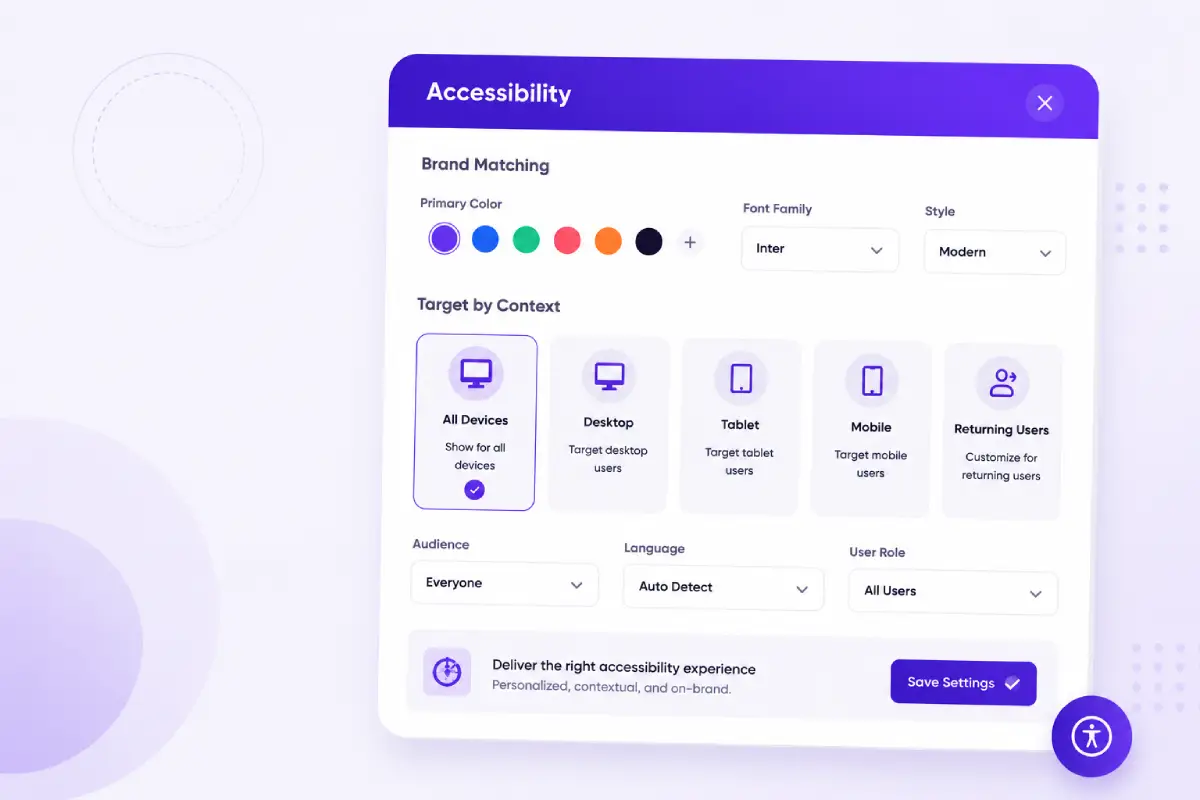
Settings from General, Overview, Presets, Profiles, Settings, Resolved Fixes, Backup, and System.
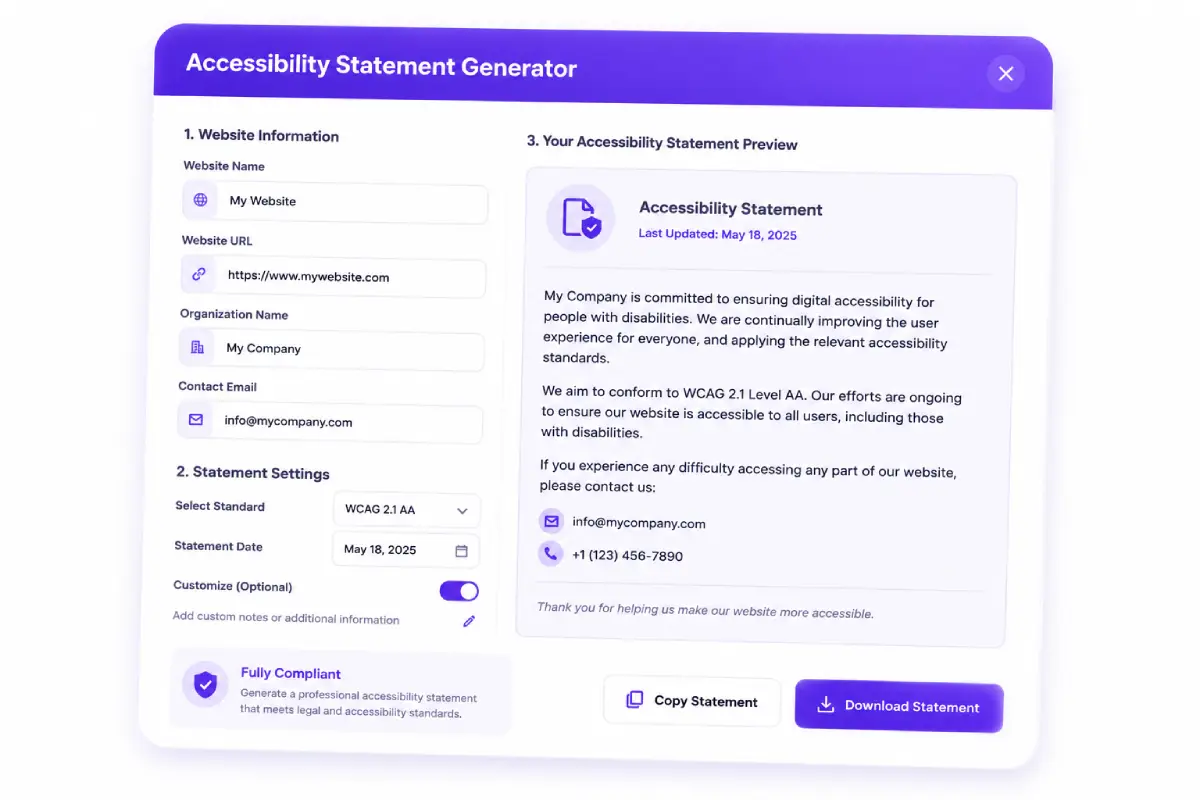
Create a draft Accessibility Statement page from the plugin template (slug: prime-accessibility-statement-page). Link it from the widget footer as “Accessibility Policy.”
Prime Accessibility is a Pro-only WordPress plugin — every feature below ships with your license.
#1 Lorem ipsum dolor sit amet, consectetur adipiscing elit, sed do eiusmod tempor incididunt ut
labore et dolore magna aliqua.
#1 Lorem ipsum dolor sit amet, consectetur adipiscing elit, sed do eiusmod tempor incididunt ut
labore et dolore magna aliqua.
#1 Lorem ipsum dolor sit amet, consectetur adipiscing elit, sed do eiusmod tempor incididunt ut
labore et dolore magna aliqua.
#1 Lorem ipsum dolor sit amet, consectetur adipiscing elit, sed do eiusmod tempor incididunt ut
labore et dolore magna aliqua.
#1 Lorem ipsum dolor sit amet, consectetur adipiscing elit, sed do eiusmod tempor incididunt ut
labore et dolore magna aliqua.
#1 Lorem ipsum dolor sit amet, consectetur adipiscing elit, sed do eiusmod tempor incididunt ut
labore et dolore magna aliqua.
#1 Lorem ipsum dolor sit amet, consectetur adipiscing elit, sed do eiusmod tempor incididunt ut
labore et dolore magna aliqua.
#1 Lorem ipsum dolor sit amet, consectetur adipiscing elit, sed do eiusmod tempor incididunt ut
labore et dolore magna aliqua.
#1 Lorem ipsum dolor sit amet, consectetur adipiscing elit, sed do eiusmod tempor incididunt ut
labore et dolore magna aliqua.
#1 Lorem ipsum dolor sit amet, consectetur adipiscing elit, sed do eiusmod tempor incididunt ut
labore et dolore magna aliqua.
#1 Lorem ipsum dolor sit amet, consectetur adipiscing elit, sed do eiusmod tempor incididunt ut
labore et dolore magna aliqua.
#1 Lorem ipsum dolor sit amet, consectetur adipiscing elit, sed do eiusmod tempor incididunt ut
labore et dolore magna aliqua.
Premium WordPress plugin with a 7-day trial. Requires WordPress 6.1+ and PHP 7.4+. Prices shown for planning — connect your Freemius checkout when ready.
Website Accessibility
Website Accessibility
Website Accessibility
Website Accessibility
Prime Accessibility ships as a single premium plugin — widget, admin, checker, and statement tools together.
Install and activate, then open Prime Accessibility in wp-admin to configure presets, profiles, and settings. A default Accessibility Preset and statement page can seed on first activation.
WordPress 6.1+ · PHP 7.4+
Works with modern WordPress themes and popular page builders without fighting your layout — Gutenberg, Elementor, Divi, WooCommerce, and classic themes.
Loads only the components visitors need. Use Overview usage insights, preference restore, and export/import backups to keep accessibility part of your workflow.
Activate Prime Accessibility, use the seeded Accessibility Preset, and let visitors apply any of the 19 tools and 8 profiles from the floating launcher.
Run the Accessibility Checker, Fix with AI (or manually), track Resolved Fixes, and publish the Accessibility Statement page.
Use Overview usage insights, preference restore, export/import backups, and conditional presets as content and layouts change.
Get the latest WordPress tips, accessibility updates, product news, and exclusive resources delivered straight to your inbox.
Answers to get the most from Prime Accessibility.
No plugin can guarantee full legal compliance. Prime Accessibility helps improve usability for diverse accessibility needs, surface common issues with the Accessibility Checker, and document effort with an Accessibility Statement. Pair it with manual testing and remediation for best results.
Yes. Prime Accessibility is built with modern React technology and is designed to work with WordPress themes and popular page builders without interfering with your existing design — including Gutenberg, Elementor, Divi, WooCommerce, and classic themes.
The plugin loads only the components it needs and is optimized for performance on most WordPress sites.
Nineteen tools: Contrast +, Highlight Links, Bigger Text, Text Spacing, Pause Animations, Hide Images, Cursor, Tooltips, Line Height, Text Alignment, Saturation, Dictionary, Screen Reader, Smart Contrast, Dyslexia Friendly, Grayscale, Brightness, Mute Sounds, and Keyboard Navigation — plus eight built-in profiles and Custom Profiles.
OpenAI, Google Gemini, and Anthropic Claude. API keys are stored server-side in plugin settings. Optional provider fallback can try Gemini if the primary provider fails.
Prime Accessibility is a premium WordPress accessibility plugin. Start a 7-day trial to evaluate the full product — widget, checker, Translate, Custom Profiles, and backups — before purchasing a yearly license.
Oyorox. Product site: primeaccessibility.com. Support: hello@oyorox.com and oyorox.com/contact. Requires WordPress 6.1+ (tested up to 7.0) and PHP 7.4+. License: GPL-2.0-or-later.
Install the premium WordPress accessibility plugin, brand the launcher, and start improving WCAG 2.1, ADA, and Section 508 accessibility today.

Premium WordPress accessibility plugin by Oyorox for WCAG 2.1, ADA, and Section 508 progress. GPL-2.0-or-later.
© 2026 Oyorox. All rights reserved.
Tools help accessibility; they do not guarantee legal compliance.